
VDCIMAGEPLACE is part of Image Trace (assisted trace of aerial imagery); the full section follows.
Half a day of hand tracing, assisted: you click, the line finds the edge; one click outlines a roof or a pond. Concept-plan accuracy from county, state, NAIP or your own drone imagery. Plain AutoCAD.
Traced polyline
Your clicks
What a plain straight line would do
What it does
- Feature presets set the layer (V-ROAD-EDGE-TRCE, V-BLDG-TRCE, V-VEGE-TREE-TRCE, V-HYDR-WATR-TRCE, V-ROAD-DRIV-TRCE, V-WALK-TRCE), closed or open, squared or not.
- Pixels from the attached image's file (full resolution, through its placement) or a snapshot of the plan view (anything on screen).
- Edge-snap: clicks snap onto a nearby edge; the span between clicks follows the edge; live preview; straight segments reported with the reason.
- Region grow: outline of the clicked area, holes filled, simplified, squared for buildings; written at once, Undo / Tighter / Looser.
- Image Place: similarity fit from 2 or 3 point pairs; misfit reported.
Watch for
- Licence: county, state, NAIP, own drone imagery supported; Google / Bing never; Esri online map = warned.
- Concept-plan accuracy - a pixel or two of the image, and only as good as its placement.
- Screen source needs the Model tab and a plan view. MrSID / ECW / JPEG 2000 files: export a PNG / TIF or use the screen.
- Settings
%APPDATA%\VDC\ImageTrace\settings.json.
Dialog
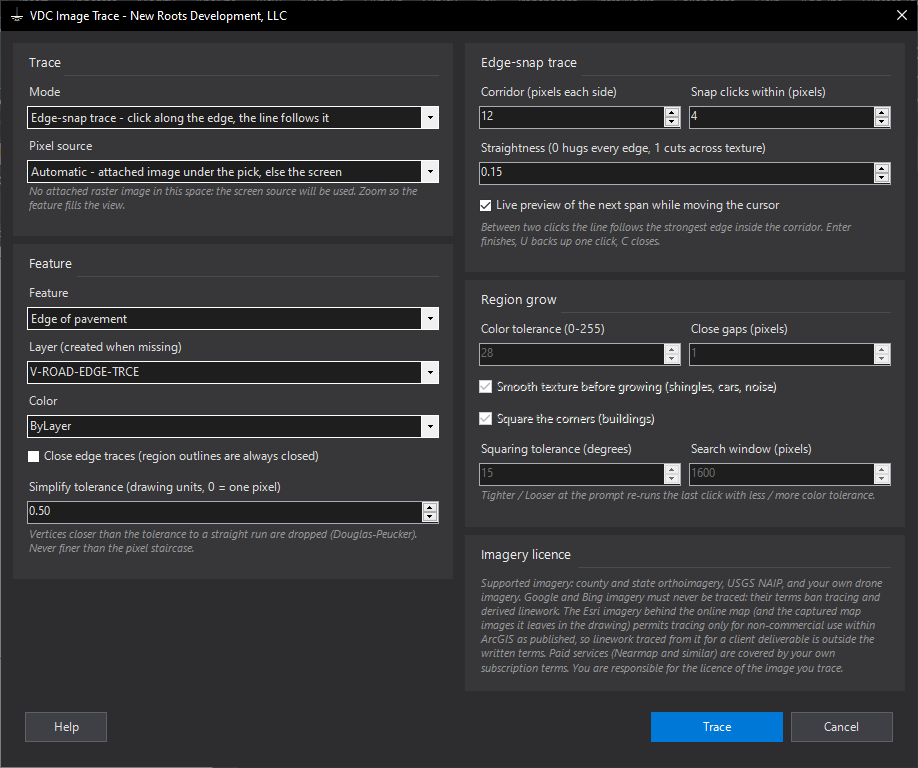
VDCIMAGETRACE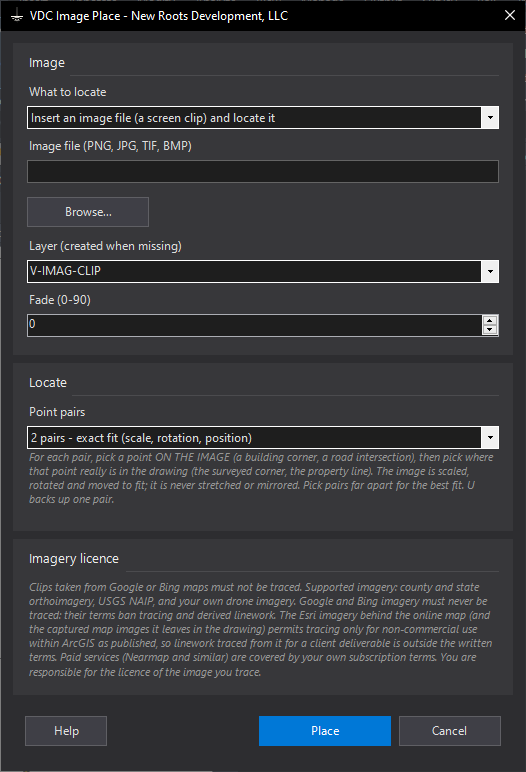
VDCIMAGEPLACE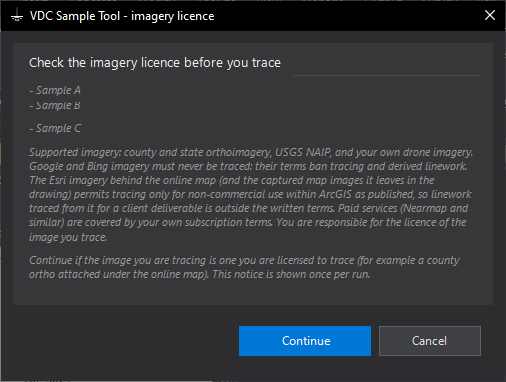
VDCIMAGEPLACEDialog
VDCIMAGETRACEVDCIMAGEPLACEVDCIMAGEPLACEWhen to use it
- A concept plan needs edge of pavement, driveways, sidewalks and tree lines the county does not publish.
- Buildings or ponds that are missing from the county footprints.
- After Site Data's Existing conditions pull, to fill the gaps it reports.
How to run it
- Attach the county ortho / NAIP / drone image (or zoom the plan view onto it).
- Run VDCIMAGETRACE - pick the mode, the feature (sets the layer) and the pixel source.
- Edge-snap: click along the edge; U backs up, C closes, Enter writes the line.
- Region grow: click inside each roof or pond; Tighter / Looser re-run a click that leaked or fell short.
- Read the summary: what was written, any straight segments and why, the pixel size of each source.
Options
- Pixel source: the attached image's file (full resolution) or a snapshot of the plan view (screen resolution, anything on screen).
- Corridor / snap: how far from your clicks the line may wander, and how far a click moves onto an edge.
- Color tolerance: how different a pixel may be from the clicked color and still join the region.
- Square the corners: buildings come out with right-angle corners; true diagonals and bays are kept.
Watch out for
- Never trace Google or Bing imagery, or screen clips of it - their terms ban it. The tool warns when the online map is on.
- Accuracy is a pixel or two of the image at best, and only as good as the image's placement.
- Shadows and tree canopy hide edges - click more often there, or draw that stretch straight.
- MrSID / ECW / JPEG 2000 files cannot be read - export a PNG / JPG / TIF, or use the screen source.
Related: Image Place · Site Data · Site Snapshot