
HEC-22 chapter 4 at every inlet of a pipe network: Q = C i A (or a direct Q), spread from the modified Manning gutter equation, curb-opening / grate / combination interception on grade or weir / orifice in a sag, the bypass carried to the next inlet, and SPREAD OVER ALLOWABLE flagged. One editable grid prefilled from the network; a center-justified table + CSV; the rows travel with the table.
Gutter / street
Inlet on grade (intercepts, bypasses)
Sag inlet / flag
What it does
- Grid from the network: every inlet structure (by name / part tokens) is a row; SL from the surface up the gutter, else the outflow pipe, else assumed - marked.
- Flow: Q = C i A or a direct Q, plus the bypass from the inlets that name this one.
- Spread: Eq 4-2 (composite 4-4 with a depression), depth at the curb, velocity Q / A.
- Interception: curb opening LT and E (Eq 4-22a / 4-23, Se with a depression); grate Eo, Rf (splash-over), Rs, E (Eq 4-16 to 4-21); combination = sweeper + grate; sag inlets as weir / orifice, the larger depth governing.
- Table + CSV: inlet, type, Q own / bypass in / total, SL, Sx, T, T allow, d, E, Qi, Qb, flag; center-justified; the rows in its tag; Update rewrites it in place.
Notes
- English units throughout (acres, in/hr, cfs, ft); names must be unique; bypass chains of any length, cycles stop.
- Splash-over curves are Chart 5 fits in the settings file (eight grates) - edit them for your grate; the sag clear-opening ratio is a setting.
- Draft work product: it computes from the values you enter. Settings under
%APPDATA%\VDC\InletSpread\(overrideVDC_INLETSPREAD_SETTINGS). Civil 3D only.
Dialog
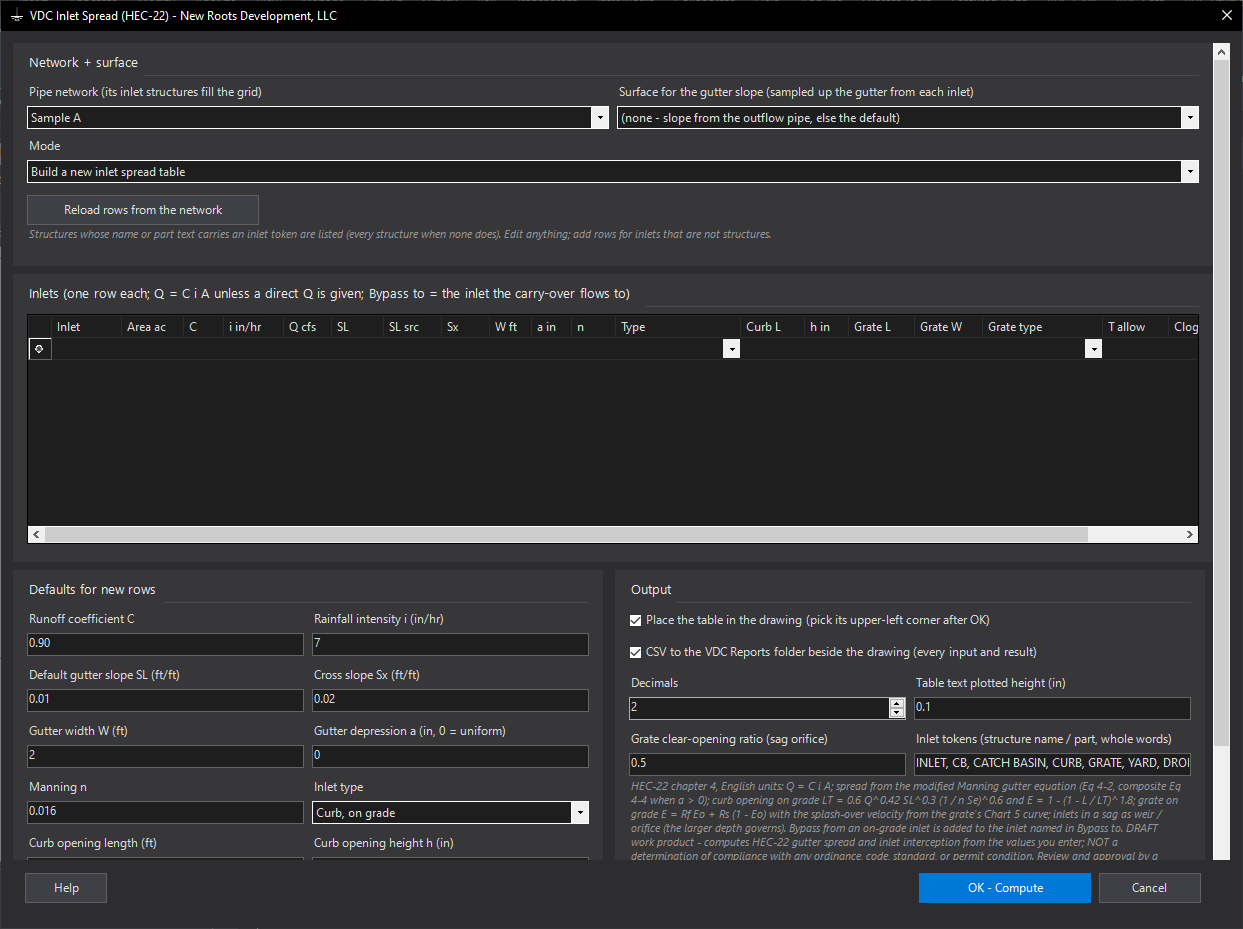
VDCINLETSPREADWhen to use it
- A storm drainage report or plan needs inlet spread and capacity at every inlet.
- A grading change moved a gutter slope and the spread table has to follow.
How to run it
- Run VDCINLETSPREAD. Pick the network (and a surface for the gutter slopes). The inlet structures fill the grid.
- Type each inlet's drainage area, C and i (or a direct Q), check SL / Sx / W / a / n, set the type, the curb or grate size and the allowable spread; name the inlet each one bypasses to.
- OK - Compute, then pick the table's upper-left corner. Read the flags and the ASSUMED-slope count in the summary.
- After a change: run again (the rows come back from the table), edit, and Update rewrites the table in place.
Options
- Inlet types: curb opening, grate or combination, on grade (interception and bypass) or in a sag (weir / orifice depth, everything intercepted).
- Depressed gutter: a local depression a > 0 switches to the composite section (Eq 4-4) and the equivalent slope Se for the curb opening.
- Grate curves: eight splash-over curves (Chart 5 fits) in the settings file - edit them for your grate.
- Bypass to: on-grade bypass is added to the named inlet; chains of any length.
Watch out for
- The longitudinal slope is read from the surface up the gutter opposite to the outflow pipe, or from the pipe itself - a pipe slope is not a gutter slope; check the rows marked assumed / pipe.
- English units only: acres, in/hr, cfs, ft; Q = C i A without the 1.008 factor, as HEC-22 does.
- This is draft work product: the splash-over curves are chart fits, the clear-opening ratio is a default, and the agency's own method (or a different C / i) may govern.
Related: Pipe Table · Curve Numbers · Time of Concentration