VDCCODELEADERS is part of Code Leaders (label survey points); the full section follows.
Batch-creates multileaders on survey COGO points by field code. The drawing's codes come up as a check-list:
IPF (12), IRON PIPE FOUND, and every checked code gets a leader per point: the code and/or its spelled-out description from your firm's editable code library, plus optional PT-number and elevation lines. Re-runs replace only the leaders this tool created; hand-placed leaders are never touched.
Survey point (checked code)
Created multileader
Code + library description
Unchecked code, untouched
What it does
- Scans every COGO point's field code, the first word of the raw description, with EP1 / EP2 / EP3 grouped under EP (trailing line-number digits stripped, the standard line-code convention).
- Check-list of the drawing's codes with per-code point counts and the library description; Check all / Uncheck all. Your unchecked set persists; a brand-new code always comes in checked.
- Leader text: code, library description, code + description (default), or the point's raw/full description, plus optional
PT <number>andEL <elevation>lines. - Scope: whole drawing (default), pick a window, select points, or one point group, the list always shows the whole drawing; scope filters creation.
- Re-run safe: output is XData-stamped, so a re-run replaces exactly this tool's leaders (or skips those points), hand-placed leaders are never touched.
- Arrows land on the point at Z = 0, plan annotation never inherits shot elevations.
Settings & options
- Code library:
%APPDATA%\VDC\CodeLeader\field-codes.csv(envVDC_CODELEADER_CODESfor one shared office file),CODE,DESCRIPTIONper line. A generic industry sample (~250 codes) is written on first run; edit it to your firm's code sheet. - MLeader style: editable dropdown, blank = active
MLEADERSTYLE, drives text height, arrowhead, colors. - Layer: editable dropdown, default
V-ANNO-IDEN, auto-created if missing. - Direction + reach: 8 compass directions (default NE); reach in plotted inches through the annotation scale (0.75″ at 1″=50′ lands 37.5′ out).
- Codes missing from the library still label, the leader falls back to the code itself.
- Dialog values persist at
%APPDATA%\VDC\CodeLeader\settings.json(env overrideVDC_CODELEADER_SETTINGS). - Ribbon: VDC Lots tab → Labels → Code Leaders.
Dialog
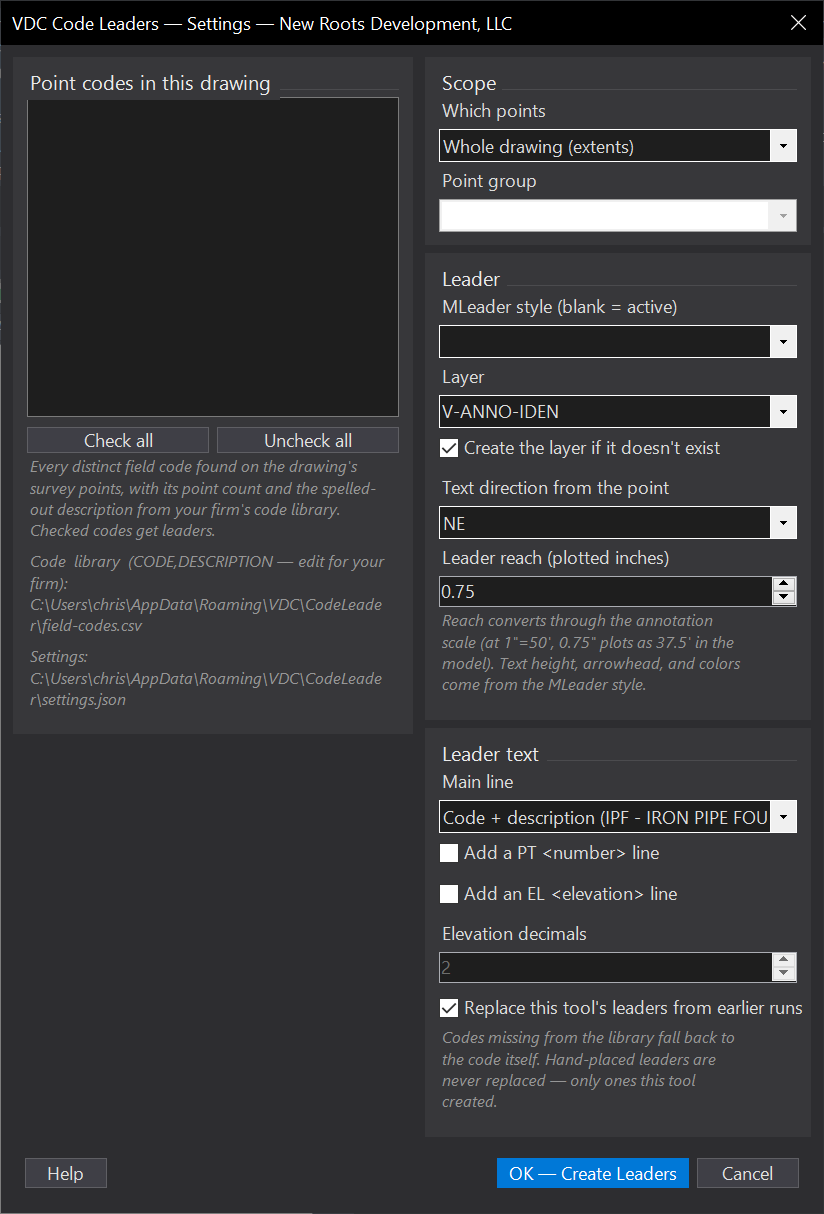
VDCCODELEADERWhen to use it
- A topo just landed and every iron pipe, valve, and specimen tree needs a callout.
- An exhibit needs only certain codes labeled - check those, uncheck the rest.
- The code sheet changed - edit the library CSV and re-run; descriptions refresh in place.
How to run it
- Run VDCCODELEADER; check the codes to label (Check all / Uncheck all; your unchecked set is remembered).
- Pick scope (whole drawing / window / selection / point group), MLeader style, layer, direction, and reach; pick the text content; click OK - Create Leaders.
- Review the summary (created / replaced / skipped, per-code counts); adjust and re-run freely - replace mode keeps it clean.
Options
- Leader text: code only, library description, code + description (default), or the point's raw/full description; optional PT <number> and EL <elevation> lines (decimals configurable).
- Reach + direction: plotted inches through the annotation scale (0.75" at 1"=50' lands 37.5' out), 8 compass directions (default NE).
- Code library: %APPDATA%\VDC\CodeLeader\field-codes.csv (env VDC_CODELEADER_CODES for one shared office file) - a generic industry sample is written on first run; edit it to your firm's code sheet.
- Replace existing: on by default - a re-run replaces this tool's earlier leaders for the same points; off skips those points.
Watch out for
- Text height, arrowhead, and colors come from the MLeader style - pick a style whose height suits the plot scale (or set MLEADERSTYLE current first).
- Codes missing from the library still label - the leader falls back to the code itself; add the code to the CSV for the spelled-out text.
- Trailing digits group as line codes (EP1 -> EP); a firm whose CODES end in digits turns this off with StripTrailingDigits in settings.json.
- Leaders go to model space at Z=0 - they never inherit shot elevations.
Related: MText to Leader · Point Dedup · Stake QC · Tree Table