Top-of-curb / bottom-of-curb pairs along picked curb lines: every N ft and/or at every vertex. With a Civil 3D surface the TC is a live spot elevation label and BC = TC − curb height; without one (or on plain AutoCAD) the pair is a two-line text from the line's own elevation.
Picked curb line
Station (interval / PI / end)
TC / BC pair, left of travel
What it does
- Stations: every N ft from the start (default 25) and/or at every vertex / end; a vertex on an interval station gets one pair; the far end always gets one.
- Civil 3D + surface: TC is a live surface spot-elevation label (style dropdown, default
Spot); BC = TC − curb height (default 0.50 ft) as static text, or a second live label through a BC style whose contents subtract the curb. Stations outside the surface are skipped and counted. - No surface / plain AutoCAD: one two-line MText
TC 123.45/BC 122.95with TC from the line's own elevation (3D polylines and lines carry Z). - Placement: offset left of travel (0.15" plotted) at 0.10" plotted height, both through the annotation scale; layer
C-ANNO-TCBCauto-created. - Stamped per curb line (
VDC_TCBC): re-picking replaces exactly those labels; Clear erases everything the tool placed.
Modes & settings
- Run: dialog, then select curb lines, Enter. Clear: wipe all.
- Draw the curb in the direction that puts the labels on the wanted side.
- Live TC labels follow a regrade; static BC text needs a re-run.
- Every Civil call is a host-gated
NoInlininghelper, ships inVDC.Acad.bundletoo (surface options disabled there). - Settings
%APPDATA%\VDC\LabelFeatureLines\tcbc.json(envVDC_TCBC_SETTINGS), schema-tolerant.
Dialog
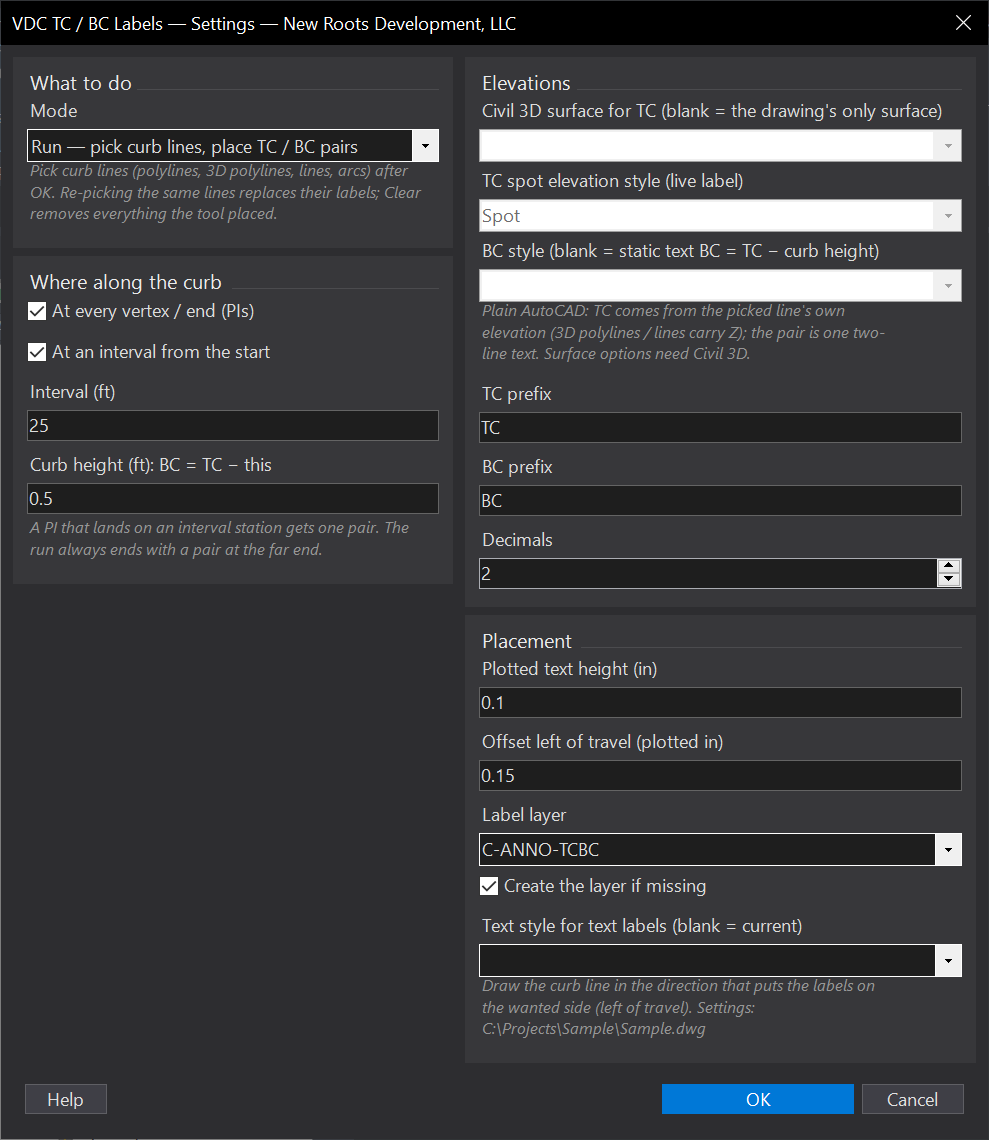
VDCTCBCWhen to use it
- Curb grading callouts on site and grading plans, from the graded surface.
- Quick TC / BC annotation of surveyed or 3D-drawn curb lines on any seat.
How to run it
- Run VDCTCBC - the dialog opens with the mode (Run / Clear), stations, curb height, elevation source and placement options.
- OK, then select the curb lines and press Enter. Draw curbs in the direction that puts the labels on the wanted side (left of travel).
- Read the summary: pairs placed, live TC labels, stations outside the surface, previous labels replaced.
- After a regrade in Civil 3D the live TC labels follow the surface; re-run to refresh the static BC text.
Options
- Where: at every vertex / end, at an interval from the start (default 25 ft), or both - a vertex on an interval station gets one pair; the far end always gets one.
- Curb height: BC = TC minus this (default 0.50 ft).
- Elevations (Civil 3D): surface for TC (blank = the drawing's only surface), TC spot style (Spot), BC style (blank = static text).
- Text: TC / BC prefixes, decimals (2), plotted height (0.10 in) and offset left of travel (0.15 in), layer (C-ANNO-TCBC, auto-created), text style.
Watch out for
- Static BC text does not follow a regrade - re-run after the surface changes (the TC labels do follow it).
- Without a surface the TC is the line's own Z: a 2D polyline at elevation 0 labels TC 0.00.
- Stations outside the surface are skipped and counted in the summary.
Related: Curb Radii · Label Feature Lines · Pad Label