
Before a cloud becomes a surface: what the file says about its units, zone and datum vs what the drawing says - every mismatch named, with its fix.
What it does
- Reads: version, format, count, scale, WKT or GeoTIFF CRS, H + V units and datum, returns; with Read every point the class histogram, density (over the occupied site) and true extents.
- Compares: units (metres vs feet, US survey vs international foot with the shift it causes), mixed XY / Z units, zone, local coordinates near 0,0, extents vs the drawing.
- Reports: OK / Info / Warn / Fail grid with a fix per row; text + CSV in VDC Reports; Full intake adds the check-shot QC.
Watch for
- Assign the drawing's coordinate system first - "Feet" alone does not say which foot.
- A file with no CRS is judged from its numbers only.
- Density and shift thresholds are your office's numbers, not a standard.
Dialog
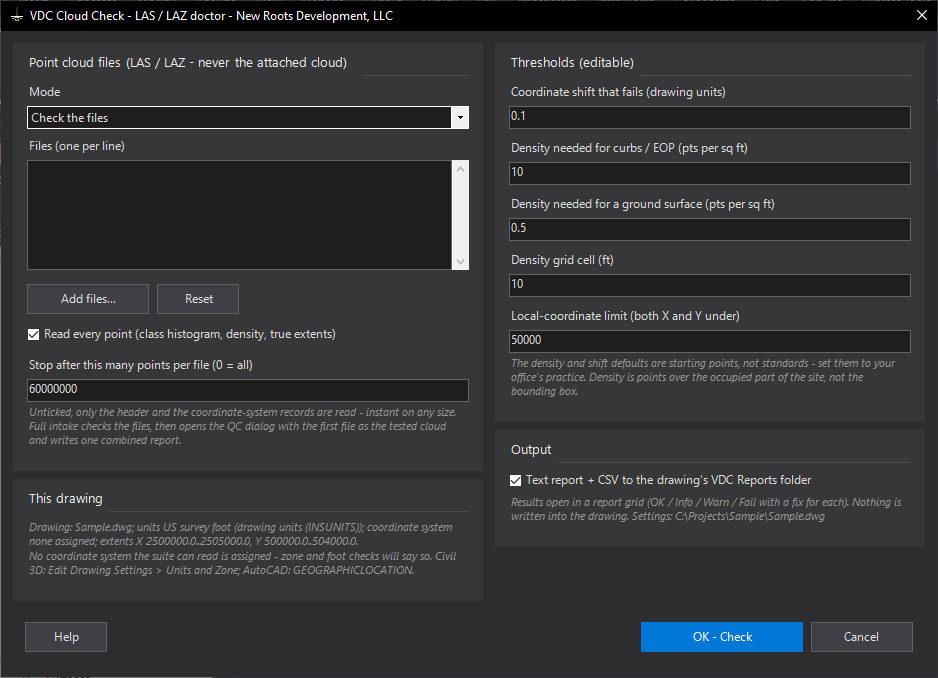
VDCCLOUDCHECK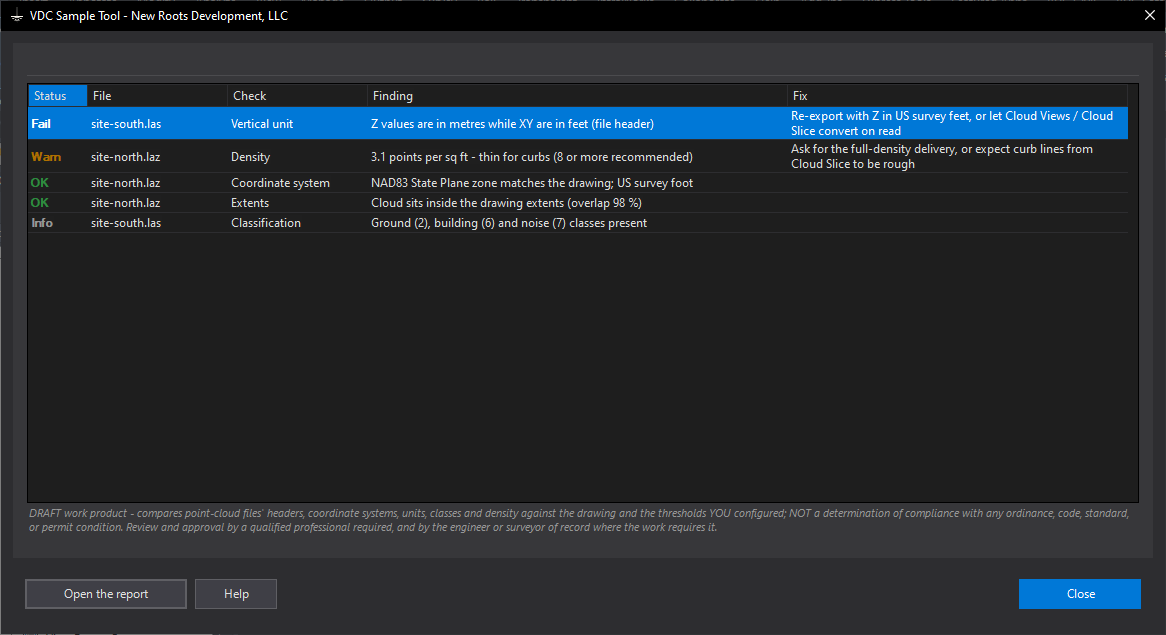
VDCCLOUDCHECKSettings file:
%APPDATA%\VDC\CloudCheck\settings.jsonWhen to use it
- A drone, lidar or scanning vendor delivers a LAS / LAZ - check it before it goes anywhere near a surface.
- A cloud imported into Civil 3D lands miles away, the wrong size or upside-down in elevation.
- You need to tell a vendor, in writing, exactly what is wrong with a delivery.
- Full intake: check the file and test it against the crew's check shots in one report.
How to run it
- Run VDCCLOUDCHECK; Add files... (several at once is fine); choose Check the files or Full intake.
- Leave Read every point on for classes, density and true extents (off = header only, instant).
- Set the thresholds to your office's practice if the defaults do not fit; OK.
- Read the report grid - Fail rows first, each with its fix; Open the report for the text copy in VDC Reports.
- Full intake: the QC dialog opens next with the first file as the tested cloud - pick the check shots.
Options
- Mode: Check the files, or Full intake (check + check-shot QC in one combined report).
- Read every point: on = class histogram, density and true extents; off = header and coordinate-system records only.
- Stop after: the per-file point cap (60 M by default, 0 = all).
- Coordinate shift that fails: 0.10 drawing units - below it a foot mix-up is a warning, above it a failure.
- Density for curbs / for a surface: 10 and 0.5 pts per sq ft by default - starting points, not standards.
- Local-coordinate limit: both X and Y under 50,000 = an assumed / local system that needs a calibration.
Watch out for
- A file with no coordinate system is checked from its numbers only - the zone and foot cannot be confirmed; get the CRS in writing.
- The drawing must have its coordinate system assigned for the zone and foot checks; INSUNITS 'Feet' does not say which foot.
- US survey vs international foot is 2 parts per million - invisible on a small site, several feet at State Plane coordinates. Never fix it by scaling by hand.
- Density is measured over the occupied part of the site; a good average can still hide sparse stretches - read the 'sparsest tenth' figure.
- The check reports what the file and the drawing say. It does not prove either is right - a wrong CRS record in the file looks right here.
Related: Cloud QC (Cloud / Surface vs Check Shots) · Ground Thin (Lidar to Ground Shots) · Cloud Slice (Point-Cloud Slabs to Linework)