
Word-processor style sentence capitals for TEXT, MTEXT and multileaders: the first letter of each sentence becomes a capital and nothing else changes. AutoCAD, its verticals and Civil 3D.
As typed
Result
What it does
- Sentence starts: start of the text, each MTEXT paragraph or line, and the first letter after
.?!plus a space. Quotes and brackets are see-through. - Abbreviations: a period after approx., sta., typ., min., inv., elev., ft., in., no., e.g. (an editable list of about 90) does not start a sentence.
- Lists:
1),2.,a),(c),iv)are kept as typed and the word after them is capitalized; bullets are stepped over. Ellipses and numbers do not start a sentence. - Scopes: VDCCAP for a selection; VDCCAPALL for the whole drawing, model space, the current space or a window.
- Auto mode (VDCAUTOCAP, off by default): text created or edited by any command is capitalized as the command ends.
Safety & limits
- Never lowercases and never alters formatting codes, stacked text,
%%codes or fields; text with a field is left alone entirely. - Skips skip-list layers (title block and border by default), locked layers, attributes, table cells, block definitions and xrefs.
- One U undoes a VDCCAP / VDCCAPALL pass; auto mode leaves U, UNDO, REDO, MREDO and OOPS alone.
- No-op safe: nothing to change means the drawing is not touched.
- Kill switch:
VDC_AUTOCAP=0keeps auto mode off on a seat; settings redirect withVDC_AUTOCAP_SETTINGS.
Dialog
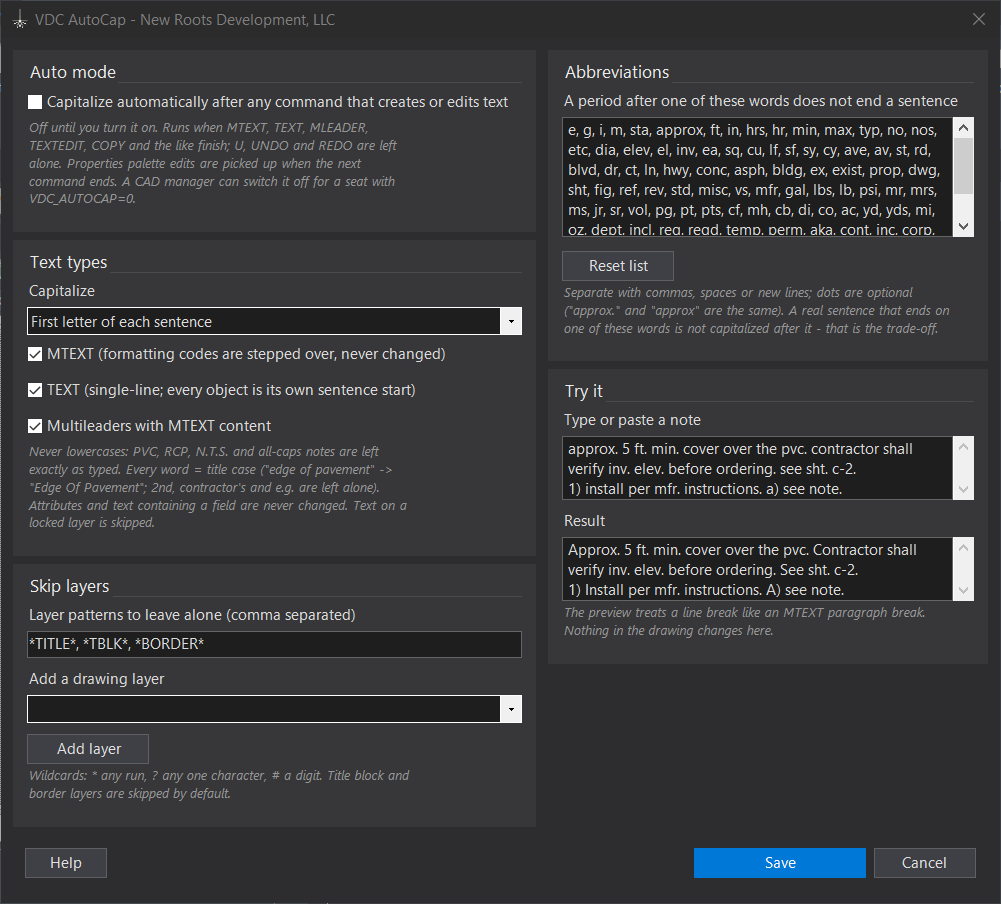
VDCCAPALL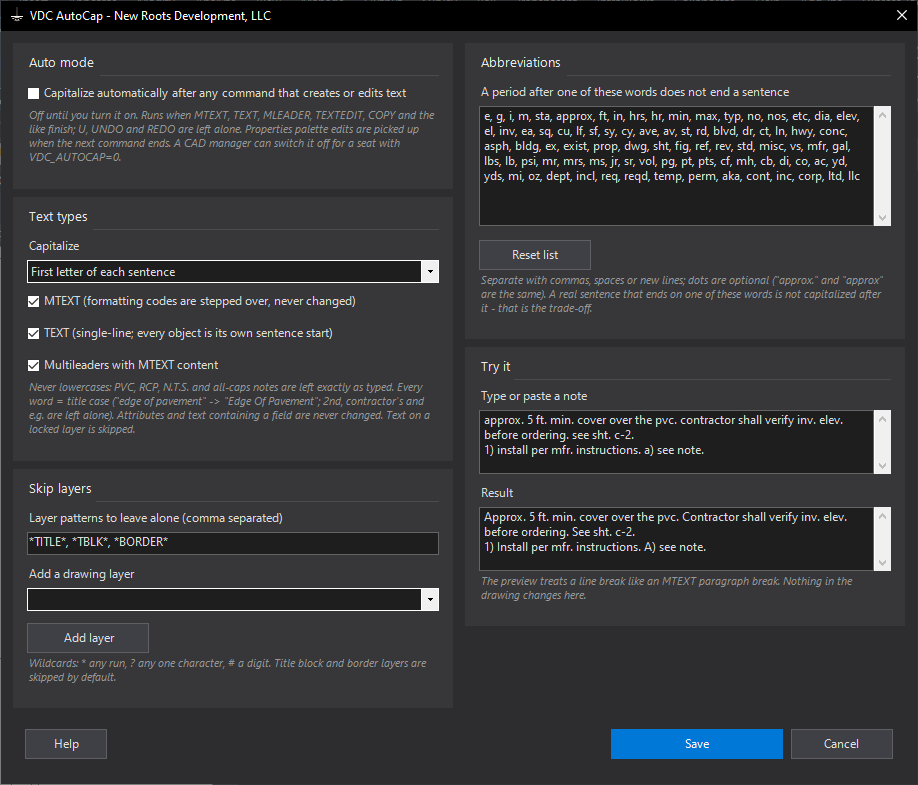
VDCAUTOCAPVDCCAP - No dialog - runs on the whole drawing with no prompt.Settings file:
%APPDATA%\VDC\AutoCap\settings.jsonWhen to use it
- General notes were typed in a hurry - 'contractor shall verify. notify engineer.' - and need sentence capitals before plotting.
- A drawing from another office mixes lowercase sentence starts with all-caps abbreviations you must not lose.
- You want new notes capitalized as you type them, without thinking about it (turn on auto mode in VDCAUTOCAP).
How to run it
- Select the text (or run VDCCAP and pick it). TEXT, MTEXT and multileaders are picked up; everything else is ignored.
- Read the summary: how many changed, and why the rest did not (already right, skip-list layer, field, locked layer).
- For a whole sheet set of notes, run VDCCAPALL and choose Whole drawing, Model space, Current space or Window.
- To have it happen on its own, run VDCAUTOCAP, check auto mode and click Save. U still undoes a command and its capitalization normally.
Options
- Auto mode: off by default; when on, text created or edited by any command is capitalized as the command ends. Undo commands are left alone.
- Skip layers: wildcard patterns (title block and border layers by default); locked layers are always skipped.
- Abbreviations: the words after which a period does not end a sentence - edit, add your own, or reset.
- Try it: type a note in the dialog and see the result before anything in the drawing changes.
Watch out for
- A real sentence that ends on a listed abbreviation ('...3 ft. see detail') is not capitalized after it - remove the word from the list if that matters more.
- Each line of multi-line TEXT is its own object, so each line starts a sentence. Use MTEXT for paragraphs.
- Text with fields, attributes, table cells and dimension text are not changed.
- A CAD manager can force auto mode off on a seat with the environment variable VDC_AUTOCAP=0.
Related: MText to Leader · Font Swap · Standards QC