
Three answers to one complaint - Civil 3D labels that spin and flip in a twisted model-space view. Converting them to AutoCAD text works but freezes the data; two of these three keep the labels live: fix the style's orientation, or twist the view to match the sheet. The leader tool offers both a live dragged label and the static multileader people asked for.
View-oriented labels in a twisted view
Held labels / live leaders
Road and points
What each one does
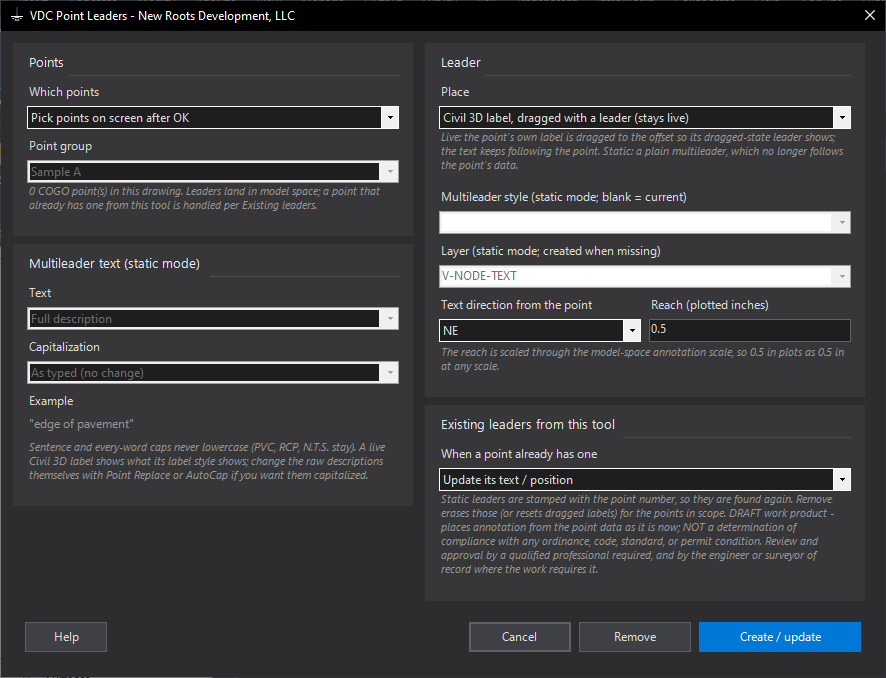
- Point Leaders: a leader per COGO point - live (the point's own label dragged out so its dragged-state leader shows) or static (an AutoCAD multileader with full / raw / number + description / name / description + elevation, caps as typed / sentence / every word / UPPER / lower). Direction, plotted reach, multileader style, layer; existing leaders updated, replaced or left; Remove.
- Label Orientation: every label style type in one filterable checked list; set Object / View / WCS, plan readable, readability bias, flip anchors in one write. Optional per-point label rotation (angle or picked line), still live.
- View Twist: DVIEW twist without DVIEW - pick a line, type an angle, match a layout viewport or a Sheet Gen frame, reset. UCS stays World; crosshairs and ORTHO follow.
Choosing
- Labels spin while you work: Label Orientation -> Object (or WCS) + plan readable off on the styles that bother you, or pick the labels on screen (1.117.4). Nothing becomes static.
- Model should look like the sheet: View Twist -> Match a layout viewport. View-oriented labels then sit the same in both.
- Someone wants the descriptions as plain text: Point Leaders, static mode - knowing it no longer follows the points (Update re-reads them).
- The annotation has to live on the sheet: Paper Labels - run from the layout, pick the viewport, and every COGO point / structure / pipe / parcel / alignment / feature line / polyline / line / circle / block it shows gets a paper-space multileader whose text is AutoCAD object fields on the model object (
{FullDescription},{Elevation},{RimElevation},{SumpDepth},{Length2D},{Slope}...), live across spaces, updated on regen and plot.{#Name}static tokens (1.117.4) cover what a field cannot reach - parcel area, pipe inverts, structure inverts / station, block attributes, all of a pressure pipe - and are re-read by Refresh. Refresh re-places after a pan or zoom; Remove erases; a field that cannot read its property shows####and is counted. - Settings under
%APPDATA%\VDC\ViewLabels\(overrideVDC_VIEWLABELS_SETTINGS).VDCTWISTships in both bundles; the other three need Civil 3D.
Dialog
VDCPOINTLEADERS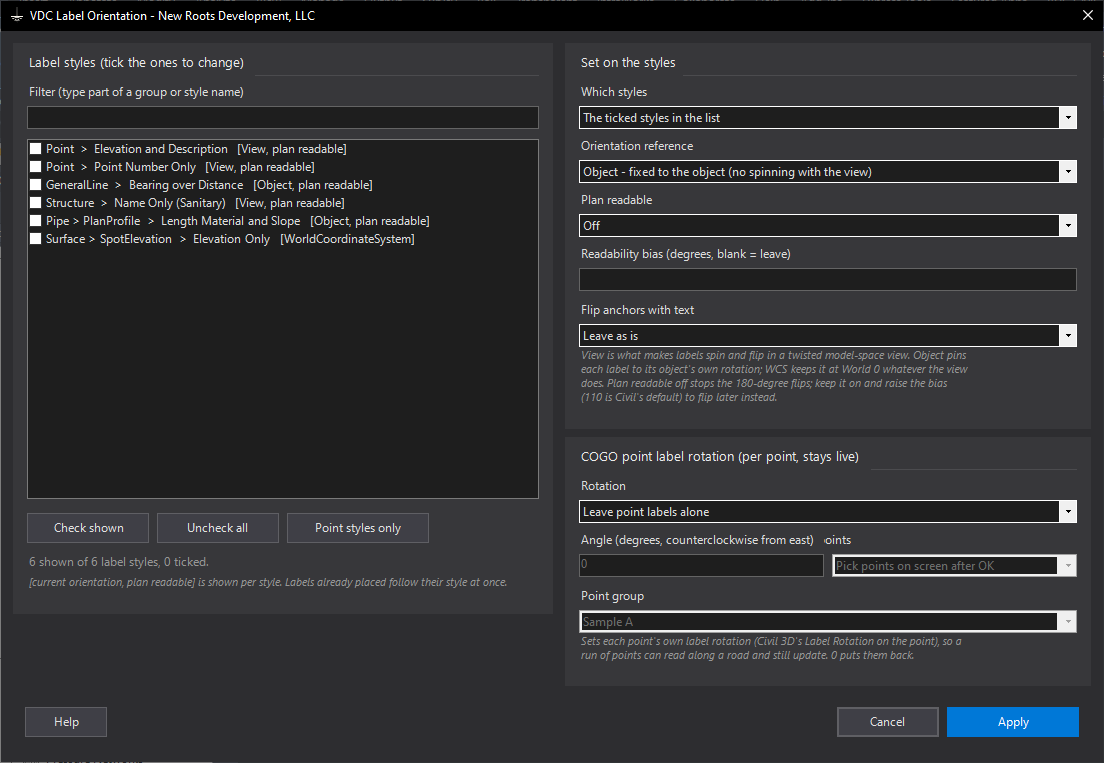
VDCLABELORIENT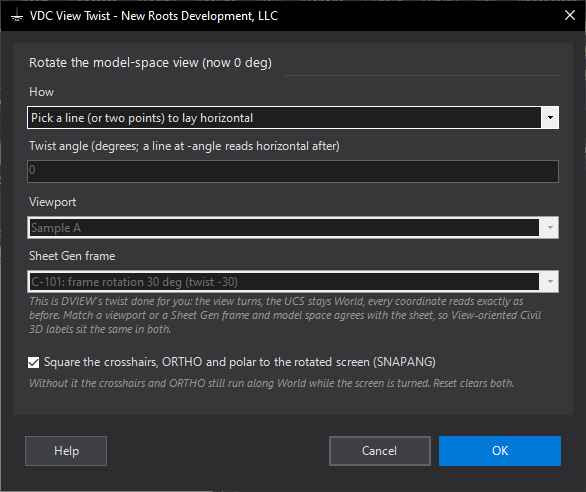
VDCTWIST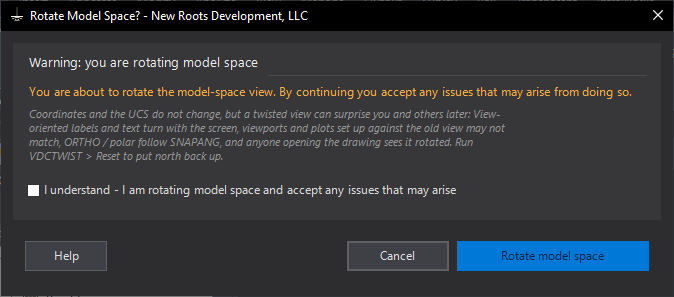
VDCTWIST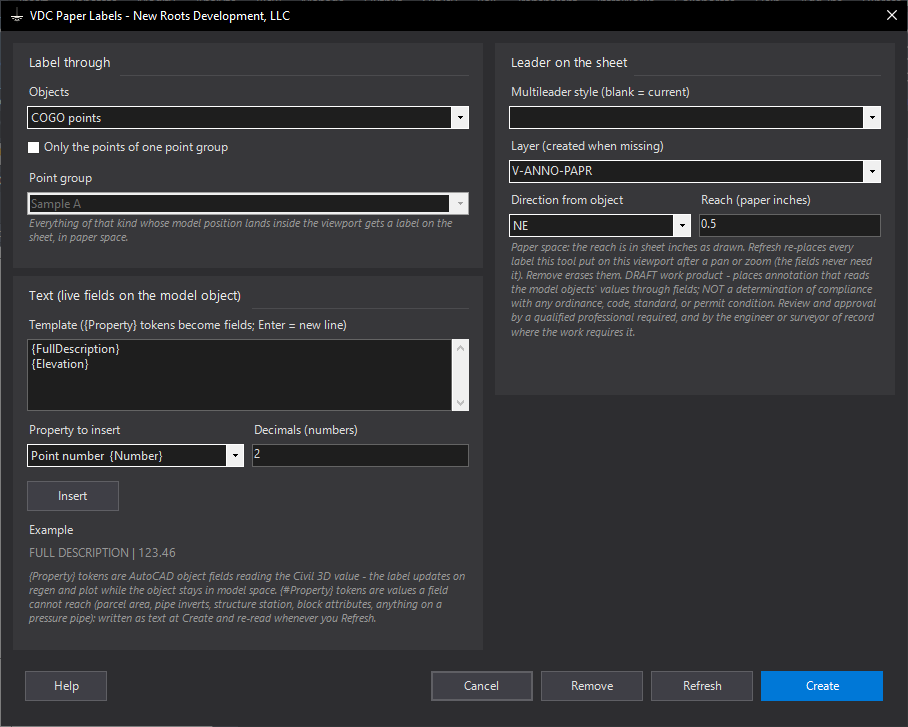
VDCPAPERLABELSWhen to use it
- A plan needs a leader and description at each shot and the point labels are in the way or the wrong shape.
- Someone asked for the point labels as plain text (static) - with the live mode as the alternative that keeps the data linked.
How to run it
- Select the points (or let the dialog ask), run VDCPOINTLEADERS.
- Pick Place: live (dragged Civil 3D label) or static (AutoCAD multileader with text + caps).
- Set the direction and the plotted reach; for static, the text, caps, multileader style and layer.
- Create / update. One U undoes the run; Remove erases the tool's leaders or puts dragged labels back.
Options
- Live mode: the leader look comes from each point label style's Dragged State tab (As composed / Stacked text, Leader on). The text is whatever the style shows.
- Caps (static): sentence and every-word modes use AutoCap's engine and never lowercase; UPPER and lower are plain case changes.
- Existing leaders: update the text, leave them, or erase and place new ones.
Watch out for
- Static multileaders do not follow later edits to the point - run again with Update, or use the live mode.
- A point label style with no dragged-state leader shows a dragged label and no line - set Leader on in the style.
Related: Label Orientation · Point Find and Replace · AutoCap · Code Leaders