
Find and replace in COGO points - raw description, full description and point name - with the
* and ? wildcards. Step through with Find Next or change everything with Replace All; point names stay unique.What it does, per run
- Wildcards:
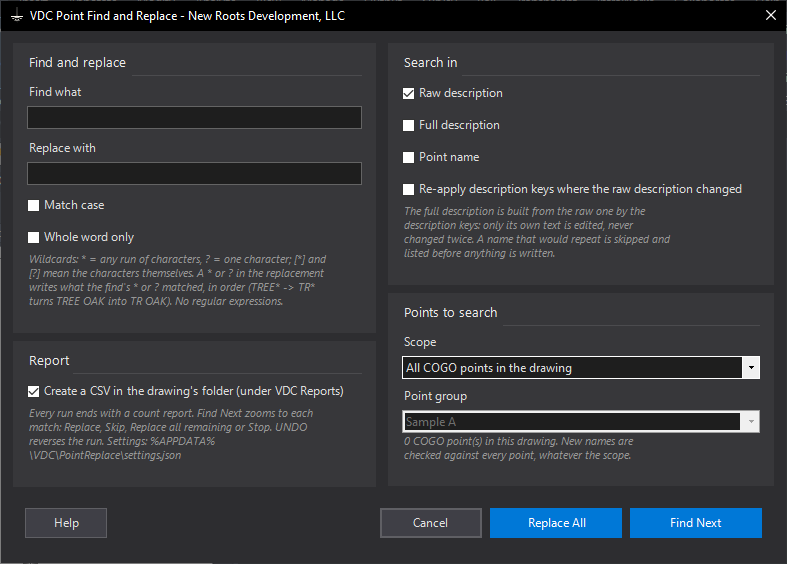
*= any run of characters,?= one character;[*]/[?]for the characters themselves; everything else literal (no regex). - Replacement wildcards carry the match: each
*/?in the replacement writes what the find's matching wildcard matched, in order (TREE*->TR*turnsTREE OAKintoTR OAK). - Match case and whole word (bounded by anything not a letter or digit:
EPmatchesEP-1, notBEP). - Fields: raw description, full description, point name - any combination.
- Full description is edited through its description format;
$tokens are never touched. A part that comes from the raw description follows the raw change and is never replaced twice. - Names stay unique: every new name is checked against every point in the drawing; a repeat is skipped and listed before anything is written.
Scope, modes & output
- Scope: all points, one point group, or picked points.
- Find Next: zooms to and highlights each match - Replace, Skip, Replace all remaining, Stop.
- Replace All: shows the counts and skipped names first, then changes every match in one pass.
- Locked points are skipped. Option (off by default): re-apply description keys on points whose raw description changed, before the full description is judged.
- Output: count report +
<drawing> - Point Find and Replace.csvunder VDC Reports (field, before, after, result per point).UNDOreverses the run. - Settings
%APPDATA%\VDC\PointReplace\settings.json(envVDC_POINTREPLACE_SETTINGS), schema-tolerant.
Dialog
VDCPOINTREPLACE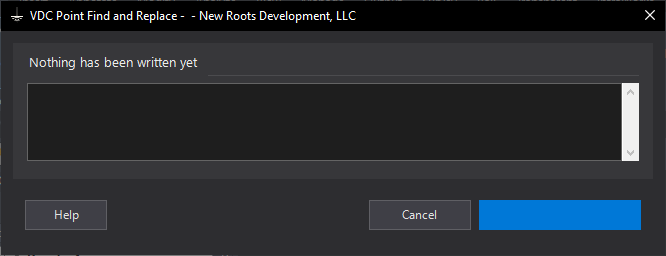
VDCPOINTREPLACEWhen to use it
- A field crew used the wrong code (EP for EOP) and the descriptions need fixing across the job.
- Point names need a prefix changed (TP to CP) without creating duplicate names.
- Cleaning up typed descriptions before tables, labels or a description-key re-run.
How to run it
- Run VDCPOINTREPLACE; type the text to find (use * and ? for wildcards) and the replacement.
- Tick the fields to search - raw description, full description, point name.
- Choose the scope - all points, a point group, or picked points.
- Click Find Next to step through the matches, or Replace All to change them in one pass.
- Read the count report; the CSV in VDC Reports lists every field before and after.
Options
- Find Next: zooms to each match: Replace, Skip, Replace all remaining or Stop.
- Replace All: shows the counts and any skipped names first, then changes every match.
- Whole word only: matches only where the hit is not joined to another letter or digit.
- Re-apply description keys: runs Apply Description Keys on every point whose raw description changed (off by default).
Watch out for
- The full description comes from the raw description through the description keys - tick Raw description to change that part at its source.
- Description keys are re-applied only with the option ticked; it can change the style, label style and layer of the re-keyed points.
- The replacement may not use more * or ? than the find text - type [*] or [?] for the characters themselves.
- Locked points are skipped; unlock them first.
Related: Remove Duplicate Points · Code Leaders · Control Exhibit