Finds coincident COGO points: the classic double-imported point file, and erases the higher-numbered duplicates, keeping the lowest point number at each location.
Kept point (lowest #)
Removed duplicate (higher #)
Tolerance / coincidence test
What it does, per run
- Reads COGO points in scope and groups coincident ones within the horizontal tolerance.
- In each group the lowest point number is the keeper; the rest are removals.
- Duplicate test: horizontal distance ≤ tolerance (default
0.001drawing units). - Optional: also match elevation (Z) to keep stacked points, and also match raw description.
- Remove erases the higher-numbered points; Civil 3D maintains point-group membership.
- Undoable with
UNDO; renumber first if a different point should survive.
Modes, scope & output
- Preview: lists kept/removed pairs in the palette + CSV; erases nothing.
- Remove: erases the higher-numbered coincident points, keeping the lowest.
- Scope: Selected points (the default, pick on screen after the dialog closes), a chosen point group, or the whole drawing. The default is deliberate: this command erases, and whole-drawing is a lot to hand one OK click on a big survey.
- Output:
<drawing> - Duplicate Points.csv(kept, removed, action, E/N/Z, description). - Findings palette, double-click a row to zoom to the removed point.
- Settings
%APPDATA%\VDC\PointDedup\settings.json(envVDC_POINTDEDUP_SETTINGS), schema-tolerant.
Dialog
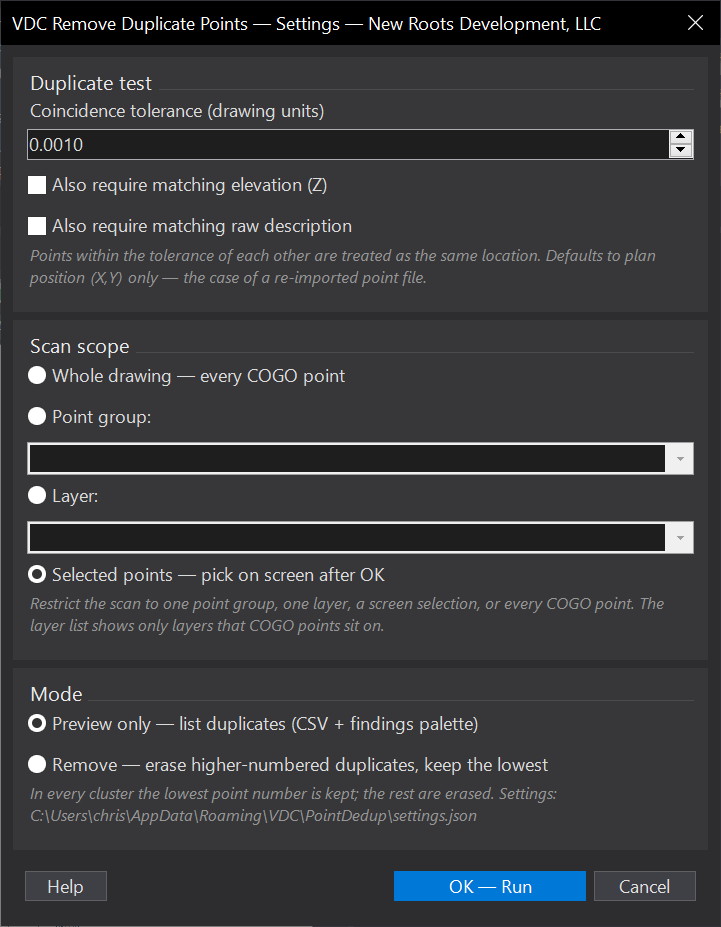
VDCDEDUPPOINTSWhen to use it
- After importing the same point file twice (or merging point sets) leaves stacked points.
- Cleaning up a survey/COGO point set before staking, tables, or surface builds.
How to run it
- Run VDCDEDUPPOINTS; set the tolerance and (optionally) match-elevation / match-description.
- Choose the scope - Selected points (the default; pick on screen after OK), a point group, or the whole drawing.
- Run Preview first; review the kept/removed pairs in the palette / CSV.
- Re-run in Remove mode to erase the higher-numbered duplicates.
Options
- Preview: lists duplicates only (CSV + findings palette); erases nothing.
- Remove: erases the higher-numbered coincident points, keeping the lowest.
Watch out for
- Default test is plan position (X,Y) only - turn on match-elevation to keep intentionally stacked points at different Z.
- The lowest point number always wins; renumber first if a different point should survive.
- Always Preview before Remove - erasing points is undone with UNDO, but it is easier to check the list first.
- Scope defaults to Selected points on purpose - this command DELETES, and whole drawing on a big survey is a lot of trust to place in one OK click. Whole drawing is still there when you mean it.
Related: Stake Lots · Lot Table · QC Status