Reads the drawing-resident QC stamps that Lot QC, Pipe QC, and Road QC write into every drawing they audit, and answers: did QC run, when, by whom, what did it find, and has the drawing changed since? Current mode reports the open drawing; Folder mode side-loads every DWG in a directory to a CSV.
QC stamp / drawing (
VDC_QC_STATUS)
Pass / CSV output
Flags / stale warning
Never run / saved-after
What it does
- Reader only: the QC tools own the writing; this command never audits or edits.
- Source: an Xrecord in the named objects dictionary (
VDC_QC_STATUS), tool, version, user, local timestamp, mode, result summary, and the drawing's save counter at stamp time. - Reports the last Run per tool plus any later Clear / Waive / Unwaive.
- Currency: compares stamped save counter to current,
+1 = [CURRENT], more = saved N× after QC (stale). - Cross-checks the folder's
VDC-QC-LOG.txt; a log line with no stamp (or vice versa) is itself a signal. - Stamp lives in the .dwg binary, travels through copy / rename / eTransmit, can't be edited in Notepad.
Modes & outputs
- Current (default): status block for the open drawing, last audit per tool, later Clear/Waive, currency verdict, last-saved time, whether the log exists.
- Folder: pick a directory; every
*.dwgis side-loaded (nothing opens), one line per drawing withNEVER RUN/saved Nx aftermarkers. - Folder mode writes
VDC-QC-STATUS.csvinto that folder for Excel. - Verdicts:
[CURRENT],[WARNING, saved Nx after],[stamp from this session, save to persist],NEVER RUN. - No settings: no
settings.json, no env var; Folder's directory picker is the only UI. - Pitfall:
NEVER RUNalso appears for drawings edited on machines without the VDC bundle, trustworthy only when the tools were available.
Dialog
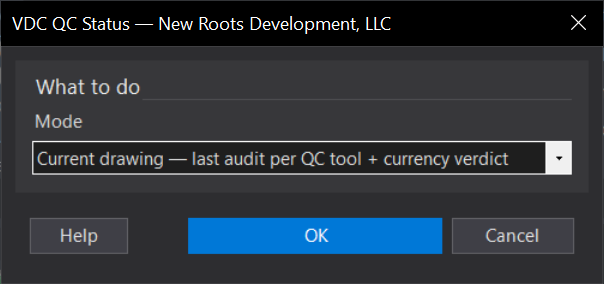
VDCQCSTATUSWhen to use it
- Confirming which drawings have been QC'd without opening each one.
How to run it
- Run VDCQCSTATUS and choose Current or Folder.
- For Folder, pick the folder to scan.
- Review the report (and the CSV for Folder mode).
Options
- Current: status for the open drawing.
- Folder: scan every drawing in a folder to a CSV.
Watch out for
- Status reflects the last audit stamp - a drawing edited after QC may show as stale.