
From the Sheet Gen frames: a match line along the middle of every two neighbouring frames' overlap band, with SEE SHEET text on both sides naming the sheet across the line. Layer, text style, plotted height, color and linetype from the dialog. Tagged, so Update re-places the lines whose frames moved and removes the ones whose frames no longer meet.
Sheet Gen frames (VDC-SheetFrames.json)
Match lines and SEE SHEET text, tagged
What it places
- One line per neighbouring pair along the middle of the overlap band (the shared edge when frames abut), clipped to the shared length; text on both sides, rotated along the line.
- Look: layer (created), text style, plotted text height through the set's plan scale, color and linetype with ByLayer pinned first, template with
{sheet}. - Neighbours: frames that touch or overlap along a side and share at least the minimum share of it (25 %); corner neighbours do not qualify; different rotations are not paired.
Update / Remove
- Every entity carries the two frame names and a signature. Update keeps current lines, re-places moved ones, removes lines whose frames no longer meet; nothing changed = nothing written.
- Scope: every frame, or a window picked after OK (stale lines outside it are left).
- Settings under
%APPDATA%\VDC\MatchLines\(overrideVDC_MATCHLINES_SETTINGS). Plain AutoCAD: ships in both bundles.
Dialog
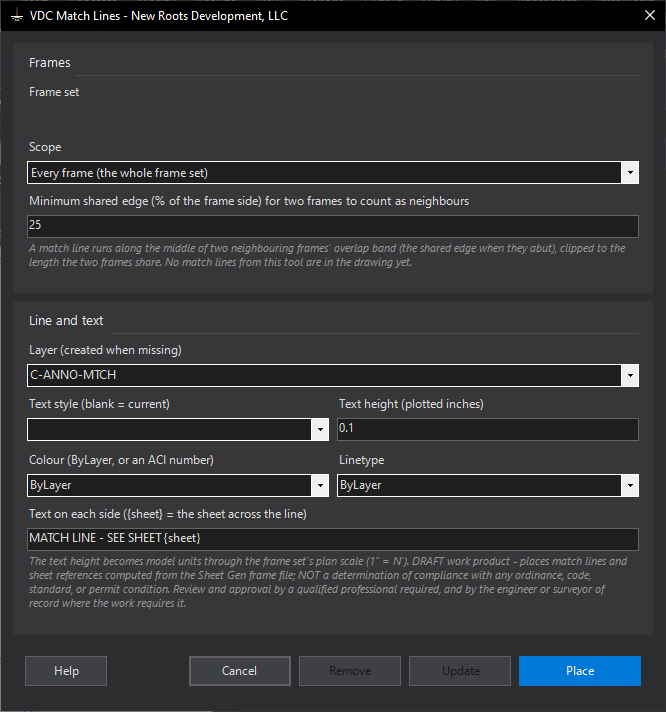
VDCMATCHLINESWhen to use it
- The frame set is defined and the plan sheets need match lines.
- The frames were re-laid (VDCFRAMEDEF) and the match lines must follow.
- A sheet was renamed in the frame set and the SEE SHEET text must change with it.
How to run it
- Define the frames with VDCFRAMEDEF and save the drawing (the frame file sits beside it).
- Run VDCMATCHLINES; pick the layer, text style, plotted text height, color and linetype; keep the template.
- Place. Every neighbouring pair gets one line and two texts.
- After the frames move: run again and Update. Nothing changed = nothing written.
Options
- Scope: every frame, or only the match lines inside a window picked after OK.
- Minimum shared edge: the share of a side two frames must have in common to count as neighbours (default 25 %); corner neighbours never qualify at that setting.
- Text template: {sheet} is the frame across the line.
Watch out for
- The frame file is the source: a frame moved by hand in the drawing without VDCFRAMEDEF does not move its match line.
- Frames with different rotations are not paired (the summary counts them).
- Window scope leaves stale match lines outside the window alone; run Every frame to clean them up.
Related: Sheet Gen · Key Map · Sheet Peek