Keeps the legend honest: and draws it.
What it does
- Inventories what the plan area actually uses: block inserts, linetypes, hatch patterns, host drawing and xrefs one level deep.
- Audit: two-way diff, symbols missing from the legend, and legend entries for symbols nowhere in the plan.
- Generate: draws the legend from a top-left point, swatch beside description, text height in plotted inches.
Good to know
- Descriptions come from a per-firm symbol library CSV; a generic sample is written on first run.
- A min-count filter keeps one stray insert from demanding a legend row.
- Ribbon: VDC Sheets → Sheets → Legend.
Dialog
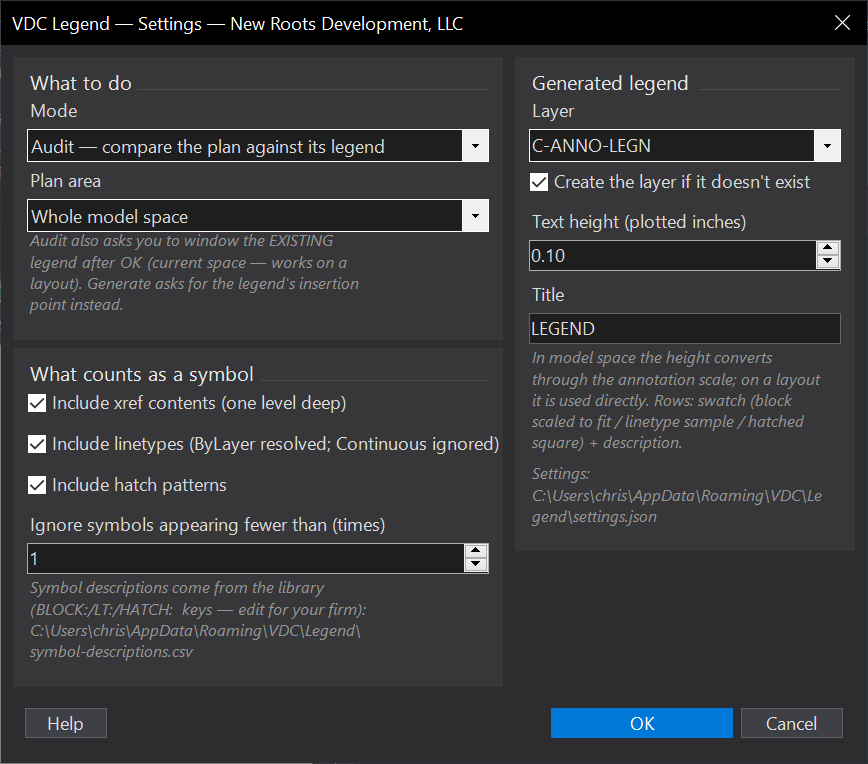
VDCLEGENDSettings file:
%APPDATA%\VDC\Legend\settings.jsonWhen to use it
- Before issue - the legend that lists a symbol nobody drew, and the symbol nobody listed.
- Starting a legend from scratch on a plan that is already drawn.
How to run it
- Run VDCLEGEND; choose Audit or Generate.
- Audit: window the plan area, then window the existing legend - a layout legend works too.
- Generate: pick the top-left point; the legend draws with swatches beside descriptions.
Options
- Symbol library: %APPDATA%\VDC\Legend\symbol-descriptions.csv - keys BLOCK:name / LT:name / HATCH:name.
- Minimum count: keeps one stray insert from demanding a legend row.
- Text height: plotted inches, converted through the annotation scale in model space.
Watch out for
- A block and a linetype sharing a name do not match each other - kinds are compared separately.
- Frozen and off layers are skipped: a symbol only on a frozen layer is not 'used'.
- Symbols missing from the library fall back to a readable version of the raw name - edit the CSV rather than the drawn legend, so the next run agrees.
Related: Standards QC · Sheet Index · Keynotes