Reads the .dwl / .dwl2 lock sidecars AutoCAD writes beside each open
.dwg to show which drawings are currently open and who has them: before you open them, without opening a single file.
OPEN (someone has it)
available
open (you)
Board /
.dwl2 sidecar
What it does
- Detection: a
.dwlor.dwl2sidecar beside a.dwgmeans it is open, presence-only, so Hidden lock files still register; no drawing is opened to check. - Reader:
DrawingLockReader(inVDC.Common) prefers the pseudo-XML.dwl2(<username>/<machinename>/<datetime>), falls back to the 3-line.dwl. - Live board: a file watcher re-scans the instant a teammate opens or closes a drawing; the board follows the active drawing's folder until you pin a root.
- Identity: the user is often the generic
User, so the machine name (e.g.JUSTIN_OFFICE) is the useful column. - No settings file, reads the sidecars directly; defaults to the active folder.
Three commands & actions
VDCLOCKS, dockable live board; double-click available to open, locked to warn + offer read-only, your own to activate that window.- Scan project… pins the board to a picked root and watches it plus all subfolders recursively.
VDCWHOSOPEN, point-in-time snapshot to the command line +VDC-WHOS-OPEN.csv(Folder or Project scope) to paste into a coordination message.VDCVERSIONS, who's-on-what-version board; reads_beacons\<MACHINE>.txtsync beacons on the share with a two-tier verdict: behind (quiet, synced recently, just lagging the latest publish; self-heals via the daily 5 AM task / next sign-in) vs SYNC DEAD (loud, no successful sync in 5+ days, the sync isn't running on that machine) →VDC-VERSIONS.csv.- Stale lock: a crashed drawing can leave a leftover sidecar, if nobody has it, delete the
.dwl/.dwl2by hand (the probe-and-sweep command and its auto-sweep were removed in 1.108.0).
Dialog
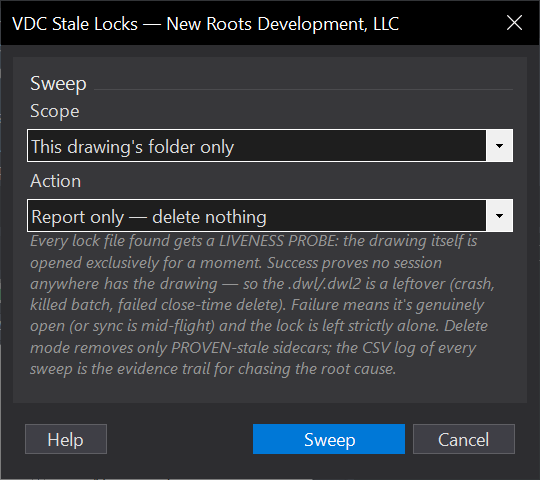
VDCWHOSOPENVDCLOCKS, No dialog, prints the lock report to the command line.VDCVERSIONS, No dialog, prints the loaded VDC versions to the command line.When to use it
- Before opening a shared project drawing, to see whether someone already has it.
- Coordinating who is in which drawing across the team during a live edit.
- Producing a quick 'who has what open' list to paste into a coordination message.
How to run it
- Run VDCLOCKS to dock the live board on the active drawing's folder.
- Read each row: OPEN (someone has it), available, or open (you); the Locked by and Since columns say who and since when.
- Double-click an available drawing to open it; double-click a locked one to open read-only (or cancel).
- Use Scan project... to watch a whole project tree, or Export CSV for a snapshot.
Options
- Live board (VDCLOCKS): auto-refreshes via a file watcher when a teammate opens / closes a drawing; follows the active drawing's folder.
- Scan project...: pick a project root and watch it plus all subfolders (recursive); pins the board to that root.
- Snapshot (VDCWHOSOPEN): command-line list + VDC-WHOS-OPEN.csv for a point-in-time report (Folder or Project scope).
- Versions (VDCVERSIONS): who's-on-what-version board - reads the sync beacons on the deployment share. Two-tier verdict: 'behind' (quiet - synced recently, just lagging the latest publish; the daily 5 AM task or next sign-in fixes it unaided) vs 'SYNC DEAD' (loud - no successful sync in 5+ days: the sync isn't running on that machine, go check it).
Watch out for
- 'Locked' means a .dwl / .dwl2 sidecar exists - a drawing that crashed can leave a STALE lock; if nobody has it, delete the leftover sidecar by hand.
- The user is often the generic 'User' - rely on the machine-name column to tell whose workstation it is.
- Read-only open still lets someone Save-As a copy, but not overwrite the file the other user holds.
Related: QC Status · Who Did It