VDCPARCELPUB is part of Create Parcels from Linework; the full section follows.
The parcel family: bulk creation, ROW that follows the road, auto-subdivision, and the sharing data shortcuts never got.
What it does
- Create Parcels: linework → real parcels in one run. Cleanup first, endpoints snap, overshoots split (arc-aware), undershoots heal, duplicates/micro-slivers drop; open ends flagged on the QC palette and a predicted count prints BEFORE anything is created. Analyze-only mode. Own named site always (a site holding parcels is refused).
- ROW Gen: alignments → ROW parcels with true cul-de-sac bulbs, and a stored recipe per alignment. Regen re-hashes the roads and rebuilds only the stale sites: move the alignment, run one command, the ROW catches up; opt-in stale watcher flags the moment a road moves.
- Lot Split: a block parcel → the max number of conforming lots per a zoning preset (the SAME library VDCLOTQC audits, lots pass by construction). Preview + confirm, frontage numbering, VDCLOTFRONT stamps on every lot.
- Publish / Parcel Ref: parcels → a versioned JSON package beside the drawing → rebuilt as REAL local parcels in a quarantined VDC-REF site. Native labels, your template's styles, every lot tool works; re-run = refresh.
- Renumber (serpentine sweep, verified), Parcel QC (slivers, micro segments, duplicate numbers, overlaps, stale ROW), Export/Import (closed polylines with XData identity, and back), Parcel Probe (creation-bridge diagnostic + test square).
Good to know
- Creation runs through the Civil COM bridge, the .NET API can't create parcels; the probe proves the bridge on a seat in seconds.
- A ROW street crossing forms one parcel per enclosed face (center + arms), that's parcel topology; they all carry the ROW style.
- Copies of parcels still blow up, that's Civil 3D. Publish/Ref replaces copying; Export/Import is the recovery path.
- Regen clears and rebuilds whole ROW sites, hand edits there don't survive; the recipes ARE the design intent.
- Ribbon: VDC Lots → Parcels. Settings under
%APPDATA%\VDC\Parcels\.
Dialog

VDCPARCELGEN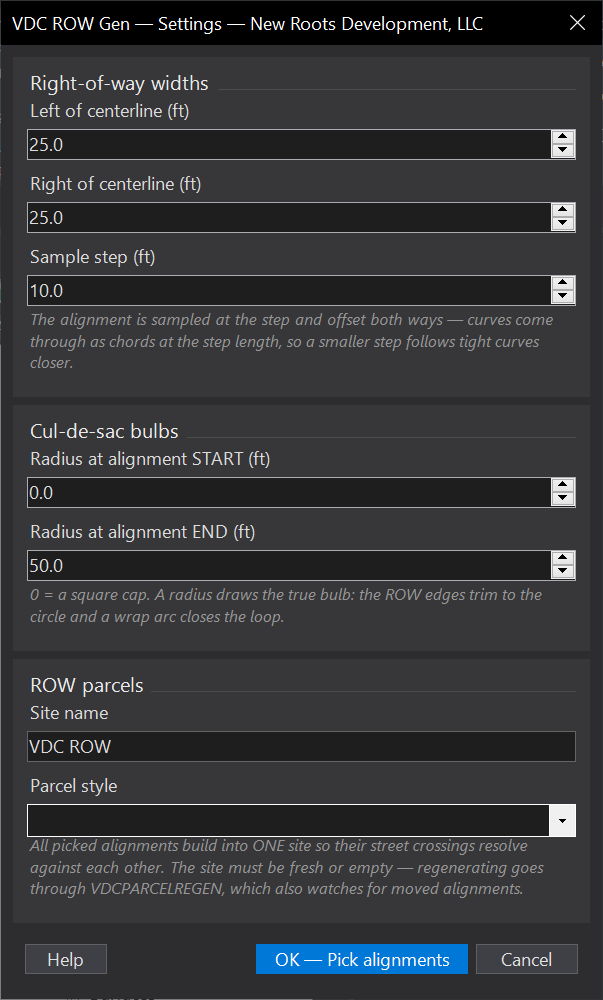
VDCROWGEN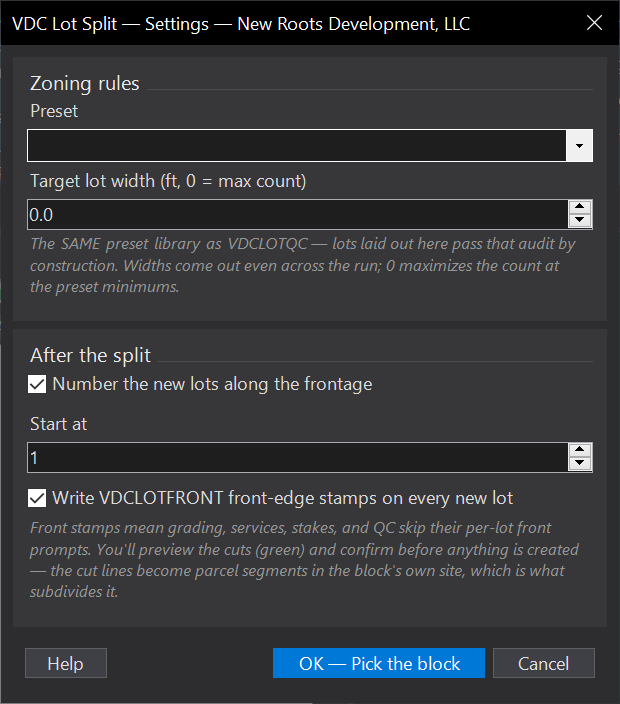
VDCLOTSPLIT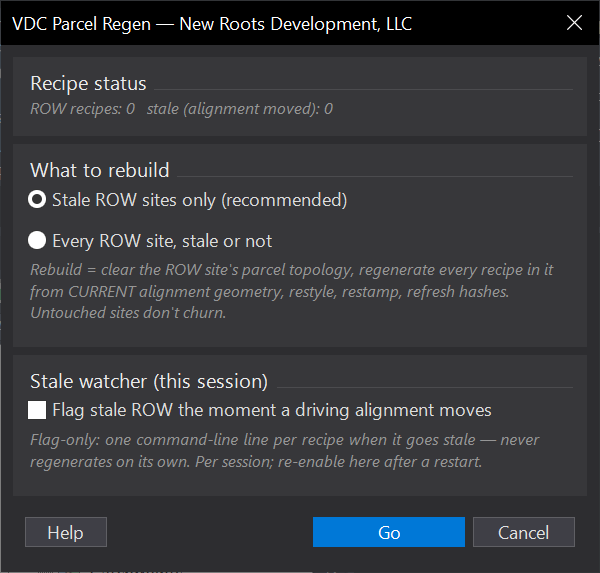
VDCPARCELREGEN
VDCPARCELPUB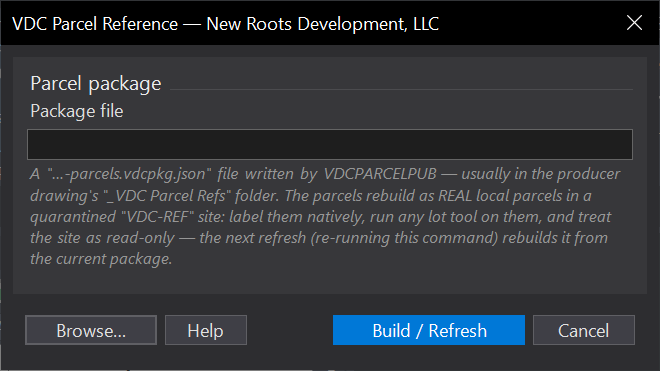
VDCPARCELREF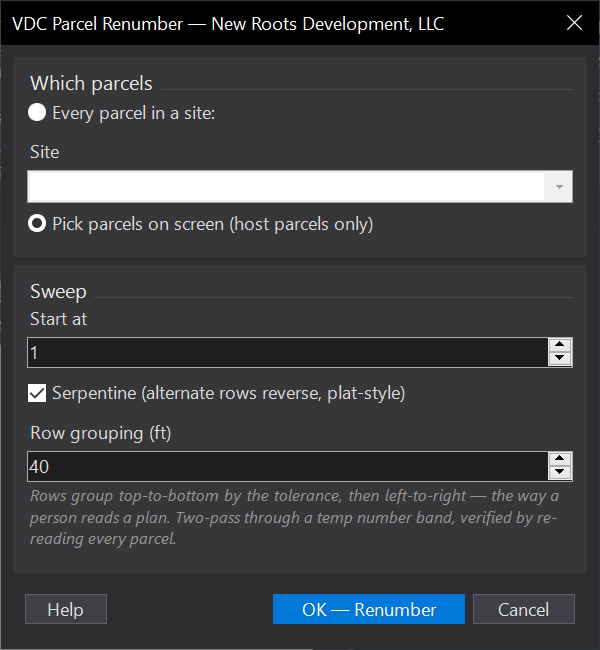
VDCPARCELNUM
VDCPARCELQC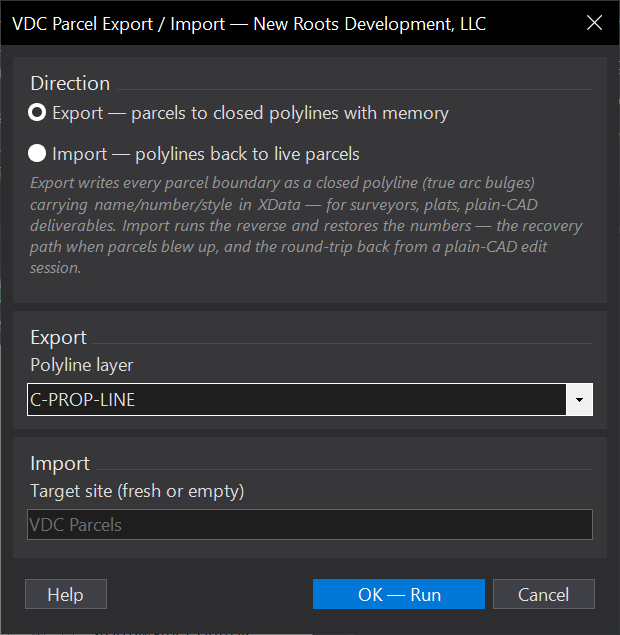
VDCPARCELXPORT
VDCPARCELPROBEWhen to use it
- Turning a drawn master plan (boundary + ROW linework + lot lines) into live parcels in one pass.
- Converting linework received from another firm or drawn in plain AutoCAD into real parcels.
- Rebuilding parcels after a re-layout - erase the old site's parcels and re-run on the current linework.
- Checking linework quality before parcelizing: run Analyze-only and read the open-end flags.
How to run it
- Run VDCPARCELGEN - the dialog opens: source (selection or layers), cleanup tolerances, site name, parcel style, numbering, and area labels. Click OK.
- If Selection scope: select the linework (lines, arcs, polylines) and press Enter.
- Read the cleanup funnel in the summary - endpoints snapped, crossings split, undershoots healed, duplicates dropped, predicted parcel count, and open ends remaining (flagged on the QC palette).
- The parcels form in the named site, get sweep-numbered from your start number, styled, optionally area-labeled, and provenance-stamped.
- Fix any flagged open ends in the linework and re-run into a fresh site if the predicted count came up short.
Options
- Source: Select linework on screen, or everything on named layers (comma-separated in the editable dropdown).
- Snap tolerance (ft): endpoints closer than this pull together; undershoots within it heal onto the segment they almost reach (default 0.10).
- Drop segments under (ft): micro-sliver filter (default 0.05); arcs are never micro-dropped.
- Split crossings: crossing straight lines split at their intersection - the overshoot fix. Arc crossings are flagged, never auto-split.
- Analyze only: the full cleanup report and palette flags with NOTHING created.
- Site name: the site the parcels form in (default "VDC Parcels"). A site already holding parcels is refused - pick a fresh name.
- Parcel style / Area label style: editable dropdowns of the drawing's styles; blank keeps the drawing default.
- Numbering: row sweep from your start number, serpentine (plat-style switchback) or straight, with a row-grouping tolerance.
- Erase source linework: removes the source lines after a fully successful create (off by default).
Watch out for
- The tool will NOT create into a site that already holds parcels - everything in a site interacts, and surprise topology merges are exactly the "parcels blow up" failure this tool exists to end. Pick a fresh site name.
- Open ends (dangles) mean loops can't close there - no parcel forms through an open end. The QC palette flags each one; double-click to zoom, fix the linework, re-run.
- The predicted parcel count is the planar-graph estimate from the cleaned linework - if the created count differs, look at the flagged issues first.
- Parcel creation runs through the Civil COM bridge; if it reports a bridge failure, run VDCPARCELPROBE for a step-by-step diagnostic.
- Copies of parcels still blow up - that's Civil 3D. Re-run this tool on linework instead of copying parcels between drawings.
Related: Parcel Probe · Lot Fronts · Lot QC · Lot Table