Two utilities for any AutoCAD table in the drawing, VDC-made or not, in AutoCAD, its verticals or Civil 3D: sort the rows by a column, and repair tables whose cell text was shrunk to dots.
Title / header (kept)
Total row (kept)
Result
Shrunk text
What it does
- Pick flow: a table already selected (a clicked cell also sets the column), or pick the table, then click a plain point inside the column, or press Enter and choose the column in the dialog. Tables split into sections always choose in the dialog.
- Sort types: Auto (numeric when every cell starts with a number, else natural), Natural (
LOT 2beforeLOT 10,S-9beforeS-10), Numeric (first number:12.50 LF,$1,200.00,-3.5) or Text; ascending or descending; optional second column for ties. - Blanks last in both directions; rows that tie keep their order.
- Kept rows: leading merged / title rows and a header row (by style or by a row of text with no digits), and trailing
TOTAL/SUBTOTALrows are detected and prefilled; adjust in the dialog. - Moves content only: text, fields and block cells travel with their row; fills, borders and cell formatting stay with the row position; a hand-set row height travels with its row.
- VDCTABLETEXTFIX: every non-merged cell gets the table's largest data text height (or one height you enter for every picked table), and inline
\Hheight codes are removed.
Safety & limits
- All or nothing: the sorted table is checked cell by cell; anything unexpected cancels the whole change. One UNDO reverses a sort or a fix.
- Data-linked tables (Excel links) are refused: sort in the Excel source, or the next link update overwrites the sort.
- Merged cells inside the rows being sorted are refused; keep such rows out with the top / bottom counts.
- No settings file: both tools start from what they detect in the picked table.
- VDC tables refreshed by 1.114.0 and later repair their own heights on the next Update; VDCTABLETEXTFIX is for tables damaged earlier or made by other tools.
Dialog
VDCTABLESORT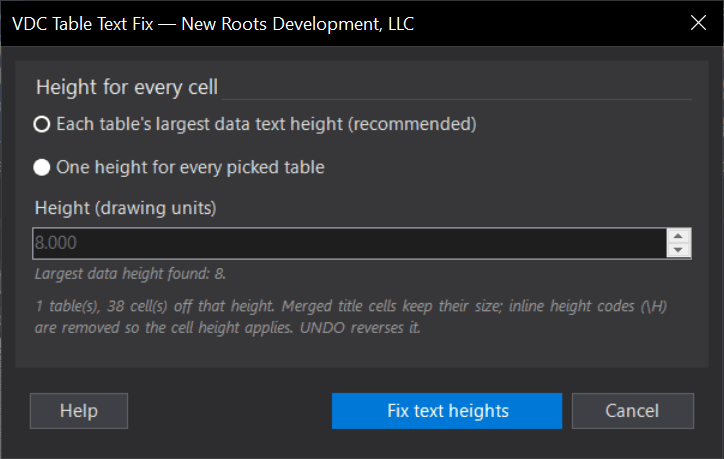
VDCTABLETEXTFIXWhen to use it
- A schedule came out in pick order and needs to read LOT 1, LOT 2 ... LOT 10.
- A quantity table should list the biggest items first (numeric, descending) with the TOTAL row kept last.
- A table from another firm or an older drawing needs re-ordering and retyping it is not an option.
How to run it
- Select the table (or click one of its cells - that also picks the column), then run VDCTABLESORT; or run it first and pick the table.
- Click a plain point anywhere inside the column to sort by, or press Enter to choose the column in the dialog.
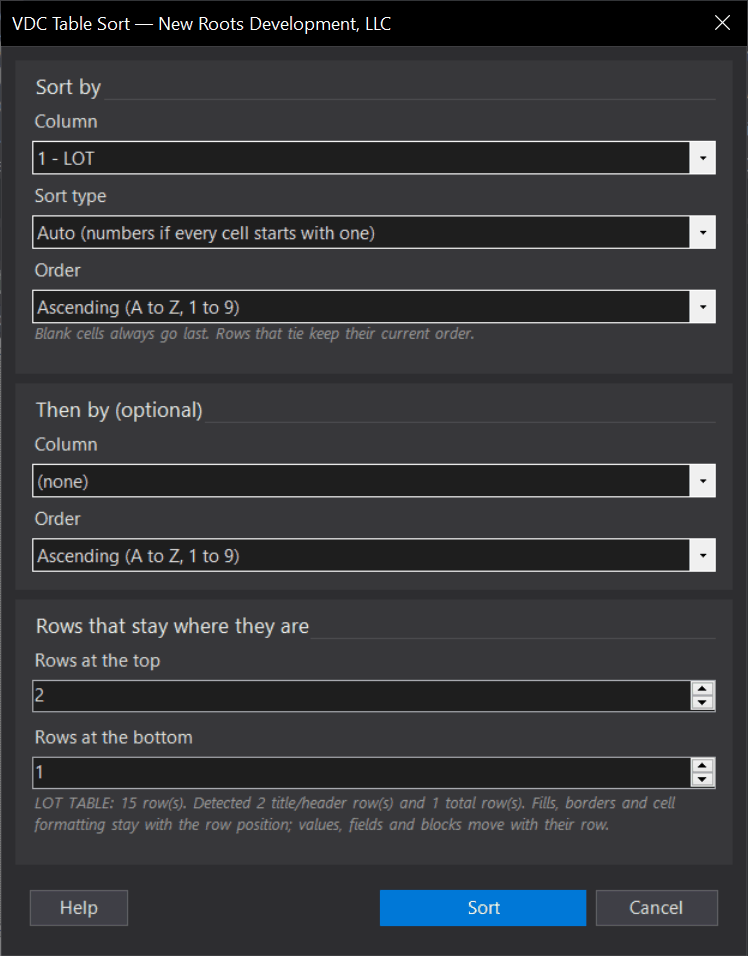
- Check the dialog: column, sort type (Auto / Natural / Numeric / Text), order, an optional second column, and the rows kept at the top and bottom (prefilled from what it detected).
- Click Sort. The command line reports what it did; UNDO reverses it in one step.
Options
- Sort type - Auto: numeric when every non-blank cell starts with a number, otherwise natural.
- Then by: a second column that orders rows tied on the first (for example network, then structure name).
- Rows at the top / bottom: title, header and total rows that must not move; prefilled from merged rows, header styles, a row of text with no digits, and TOTAL / SUBTOTAL rows.
Watch out for
- Blank cells always sort last, ascending or descending.
- Tables linked to Excel are refused - sort the Excel source, or the next link update overwrites the sort.
- Merged cells inside the rows being sorted are refused - keep those rows out with the top / bottom counts, or unmerge them.
- The sorted table is checked cell by cell; if anything is off, nothing changes and the command line says so.
Related: Fix Table Text · Lot Table · Pipe Table